
Subscribe to our Newsletter
SHARE THIS BLOG
Square is one of the most popular ways to start a shop. The checkout is clean, the hardware is cheap, the free plan gets you selling in an afternoon, and card payments just work. For a lot of resale and consignment stores, it's the first register they ever use.
Then the consignment part kicks in, and that's where Square stops helping. The moment you're selling other people's items and owing each of them a cut, you run into the wall every consignment owner hits on Square: it wasn't built to track who owns what, split each sale, or pay your consignors. This guide walks through exactly what's missing, the honest workarounds, and the setup most stores move to once the spreadsheets get out of hand.
What Square Can and Can't Do for Consignment
Square is a point-of-sale and payments system. It's very good at taking money, printing receipts, counting stock, and giving you a tidy sales report at the end of the day.
What it doesn't do is consignment. To Square, every sale is 100% your money. It has no concept of a consignor, the person who actually owns the item, so it doesn't split the sale, doesn't track what each consignor is owed, and doesn't pay anyone but you. There's no consignor login, no commission engine, and no payout run.
That's not a knock on Square. It's a register, not consignment software. But it means the hardest, most error-prone part of running a consignment store is left entirely to you: the money owed to other people.
The Four Things Consignment Stores Outgrow Square On
1. Knowing whose item sold, and splitting it
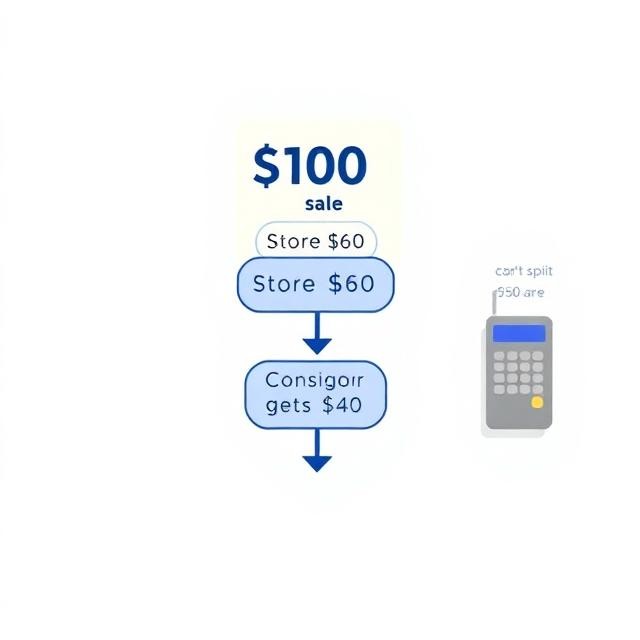
In consignment, a $100 sale isn't $100 of revenue. Maybe $60 is yours and $40 belongs to the consignor. Square records the full $100 as a store sale and stops there. To recover the split, most owners tag each item with a consignor name or category, then export the sales file into a spreadsheet to work out every cut by hand. It works at ten consignors. At fifty, it's a part-time job with a calculator.
2. Paying your consignors
Once you've worked out the splits, Square has no way to pay the people who earned them. There's no payout run, no PayPal or bank transfer to consignors, no record of who's been paid and who's still waiting. You do it yourself, one transfer at a time, and hope your spreadsheet matches your bank.
3. Giving consignors a way to check their own sales
Consignors always want to know the same three things: did my item sell, what am I owed, and when do I get paid? Square gives them no way to see any of it, so every answer comes through you, by text, email, or in person. Multiply that by every consignor and it becomes the loudest part of your week.
4. Running in-store and online as one system
Square handles your register well, but if you also sell online, your consignment tracking has to somehow cover both. Keeping in-person sales, online sales, consignor balances, and payouts all lined up across separate tools is where numbers drift and month-end stops reconciling.
"Can't I Just Add a Consignment App to Square?"
Yes, and it's worth being straight about this, because it's a real option. Apps like Circle-Hand, ConsignCloud, and SimpleConsign sit on top of Square and add the consignment layer it's missing: they detect the sale, calculate the split, track consignor balances, and offer a consignor portal. If you're a small, mostly in-person shop and Square is working for you, Square plus one of these apps is a perfectly good setup.
The tradeoff is that it's two systems. Square runs the checkout, the consignment app runs the consignor side, and the two have to stay in sync. You're paying for both, learning both, and in some cases still pulling separate sales reports from each one at bookkeeping time. It's a stack that's stitched together rather than one system built to do all of it.
For a lot of stores that's fine. For stores that are also selling online, or growing past a hundred consignors, or just tired of running two tools that don't fully talk to each other, the cleaner answer is a single system where the store, the register, and the consignment layer all live in one place.
Moving From Square to Shopify + PuppetVendors
That single system is Shopify plus PuppetVendors.
Shopify runs your online store and your in-person register (Shopify POS) as one. PuppetVendors is the app that adds the consignment layer directly inside the same Shopify admin, so instead of Square plus a synced app, you have one store, one login, one set of numbers.
Here's what changes on the consignment side:
Splits happen automatically. Set each consignor's commission rate once, by consignor, product, or category, and every sale calculates the split the moment it happens, online or at the register. No export, no calculator.
Payouts are a button. When it's time to pay, PuppetVendors runs the payouts for you through PayPal or Stripe, one click or on a schedule. It tracks who's been paid and who's pending.
Consignors check themselves. Every consignor gets their own portal to see their sales, earnings, and payout history in real time, so they stop asking you.
One system for everything. In-store sales and online sales flow into the same consignor balances, so your numbers reconcile on their own.
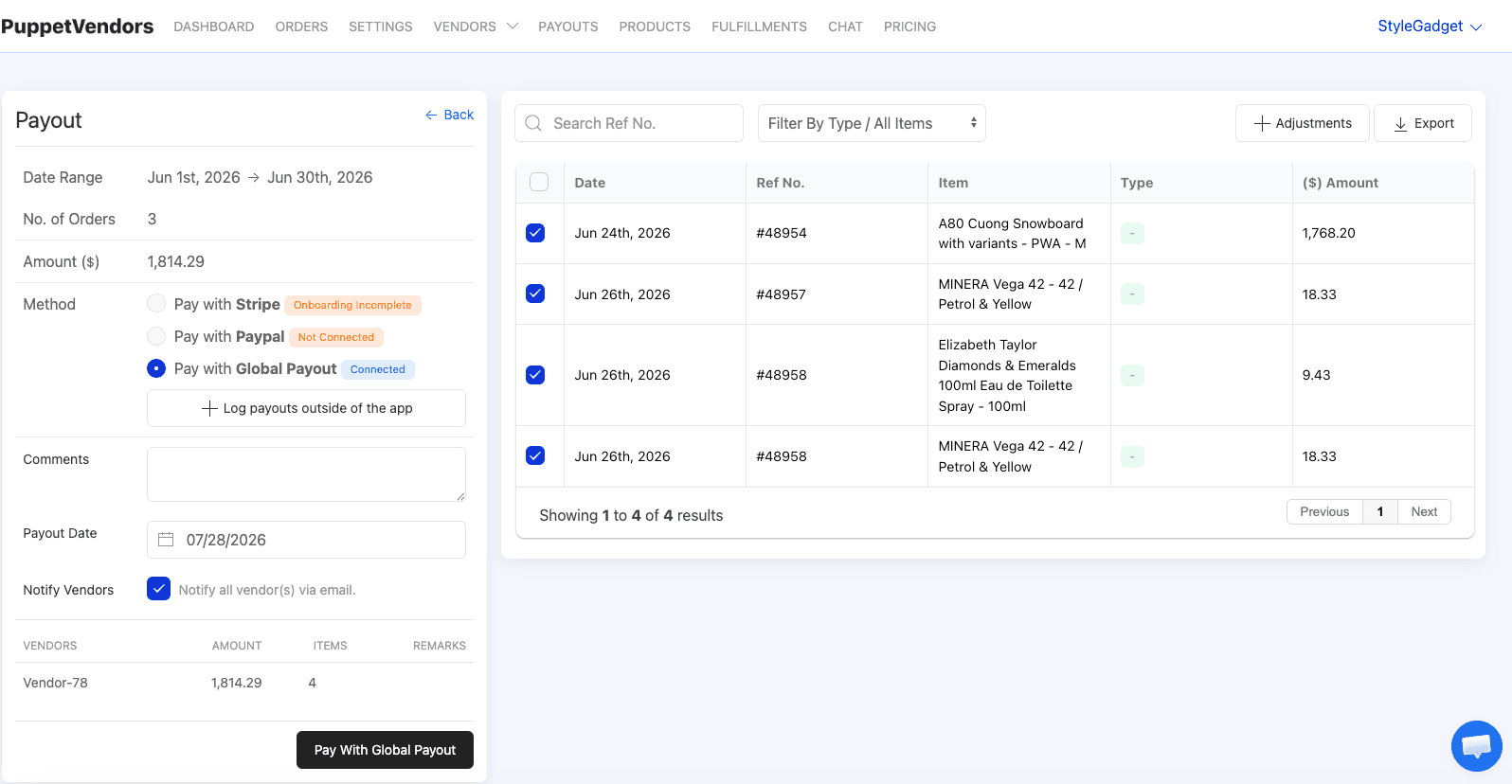
To be clear, this is the same shape of solution. Shopify POS on its own doesn't do consignment either; PuppetVendors is the layer that adds it. The difference from the Square route is that it's one app inside the store you already run, not a second system syncing alongside it. PuppetVendors starts at $49/month for up to 25 vendors, and most stores onboard their first consignor the same day.
If you're on Square today and the consignment side has become a spreadsheet you dread, that's the signal it's time to look at consignment software built for it from the ground up.
FAQ
Does Square do consignment? Not on its own. Square is a point-of-sale and payments system. It records every sale as store revenue and has no built-in way to track consignors, split sales, or pay them. Consignment features on Square only come from third-party apps you add on top.
How do people track consignment on Square now? Two ways. Smaller shops tag items by consignor and calculate payouts in a spreadsheet from Square's sales export. Larger shops add a consignment app like Circle-Hand or ConsignCloud that layers the split-tracking and payouts onto Square.
Is Square plus a consignment app a bad setup? No. For a small, mostly in-person shop it's a fine, common choice. The downside is that it's two systems to pay for and keep in sync, and sometimes separate bookkeeping. It gets heavier as you add online sales and more consignors.
What's the difference with Shopify and PuppetVendors? Instead of a register plus a separate consignment app, PuppetVendors adds consignment inside the same Shopify store that runs your online shop and POS. Splits, payouts, and consignor portals are all in one admin, so in-store and online stay on the same set of numbers.
Do I lose my Square hardware if I switch? You would move your register to Shopify POS, which runs on a tablet or phone with its own card reader. Your product catalog and consignor list come across; the switching effort is mostly re-entering consignors you already know.
How much does PuppetVendors cost? It starts at $49/month for up to 25 vendors, with larger plans as you grow. There are no per-order fees, and there's a free trial to test it against your current setup.