Subscribe to our Newsletter
SHARE THIS BLOG
A consignment POS system built on Shopify POS lets you sell consigned goods in-store while automatically tracking which vendor owns each item, calculating commissions on every sale, and syncing inventory across your physical and online channels. This guide covers exactly how to set it up - from hardware to vendor assignment to payout automation - so every in-store sale flows cleanly into your consignment workflow without spreadsheets or manual reconciliation.
If you run a consignment store with a physical location, you already know the pain. A customer walks in, picks up a vintage jacket, and brings it to the register. You ring up the sale on your POS. But that jacket belongs to one of your 30 consignors, and now you need to figure out which one, calculate their 60% cut, and make sure that transaction shows up in their payout report at the end of the month.
Without the right setup, this means scribbling vendor codes on receipts, cross-referencing sales reports with consignor spreadsheets, and hoping nothing falls through the cracks. It’s the kind of manual work that turns a profitable consignment model into an administrative nightmare.
Shopify POS changes the equation - but only if you pair it with the right consignment tools. Shopify POS alone doesn’t understand consignment. It doesn’t know that the jacket belongs to Vendor #14 or that they’re on a 60/40 split. You need a Shopify consignment app layer on top to bridge that gap.
This guide walks through the complete setup: why Shopify POS works for consignment, where it falls short on its own, how to fill the gaps with the right tools, and the specific workflows that make in-store consignment sales seamless from register to payout.
Why Shopify POS Is the Best Foundation for Consignment Retail
Choosing the right POS for a consignment store comes down to whether you sell online, in-store, or both. Most consignment-specific POS systems - SimpleConsign, ConsignCloud, Ricochet are built exclusively for consignment. That sounds like an advantage until you realize what you’re giving up. These platforms lock you into their own payment processing, their own e-commerce layer (if they have one at all), and their own ecosystem of integrations. When you outgrow them or need functionality they don’t support, you’re stuck.
Shopify POS sits on top of the Shopify platform, which means your in-store and online operations share the same product catalog, inventory counts, customer database, and order management system. Sell a consigned item in-store, and it’s immediately reflected in your online inventory. List a new consigned product online, and it’s instantly available for in-store sale. That unified view is something standalone consignment POS systems struggle to match.
Here’s what Shopify POS gives you out of the box that matters for consignment:
Unified inventory across channels. Every product lives in one catalog. When a consigned item sells at the register, it’s removed from your online store automatically. No double-selling, no manual inventory syncs between systems.
Flexible hardware options. Run Shopify POS on an iPad, iPhone, or Android device. Pair it with a card reader, barcode scanner, receipt printer, and label printer - or use Tap-to-Pay on your phone and skip the hardware entirely. For pop-up consignment events, this flexibility is huge.
Barcode scanning for fast checkout. Scan a consigned item’s barcode at the register, and Shopify pulls up the product instantly. When your products are properly tagged with vendor information, this creates a clean audit trail from intake to sale to payout.
Customer profiles tied to sales. Every transaction is linked to a customer record (if they provide details), which means you can track repeat buyers, send targeted marketing, and build the kind of customer data that helps both you and your consignors understand what sells.
Built-in payment processing. Shopify Payments handles card transactions with no additional gateway setup. If you prefer a different processor, Shopify POS supports external card readers from Square, SumUp, and others.
Discount and promotion tools. Run store-wide sales, vendor-specific markdowns, or time-based promotions directly from the POS. When paired with consignment software that tracks commission on the actual sale price (not the listed price), markdowns flow through to accurate consignor payouts automatically.
The critical limitation: Shopify POS has zero native consignment functionality. It doesn’t track consignors, calculate commission splits, generate consignor payout reports, or provide consignors with visibility into their sales. For that, you need a consignment app.
The Consignment Gap: What Shopify POS Can’t Do Alone
Let’s be specific about where Shopify POS falls short for consignment stores. Understanding these gaps is essential for choosing the right tools to fill them.
No vendor assignment on POS sales. When a staff member rings up a sale on Shopify POS, there’s no native way to tag that transaction with a consignor. Shopify’s “vendor” field on products is a simple text field - it doesn’t connect to a consignor account, commission rate, or payout system.
No commission calculation. Shopify doesn’t compute consignor splits. If you sell a $100 item that belongs to a consignor on a 60/40 split, Shopify deposits the full $100 (minus processing fees) into your bank account. Figuring out that you owe the consignor $60 is entirely on you.
No consignor portal or reporting. Consignors can’t log in anywhere to see which of their items sold, what’s still in stock, or what they’re owed. Every consignor inquiry means you pulling up reports and manually answering their questions.
No payout automation. When it’s time to pay your consignors, Shopify offers no tools for batching payments, generating statements, or routing funds to individual consignors via PayPal, Stripe, or bank transfer.
No custom sale workflow for untagged items. Some consignment stores - especially those dealing in antiques, vintage clothing, or handmade goods - don’t pre-tag every item in Shopify. They need the ability to create a “custom sale” at the register with an open price field and a vendor selector. Shopify POS supports custom sales (entering a price at the register), but there’s no way to attach a vendor to that sale natively.
This last point is a particularly common frustration. A Shopify community thread from a consignment store owner put it clearly: they wanted the ability to create custom items by vendor with an open price at the register, rather than loading thousands of one-quantity products. Shopify hasn’t addressed this natively, which is exactly why specialized consignment apps exist.
How to Set Up Shopify POS for Consignment (Step by Step)
Here’s the complete setup process for running a consignment store on Shopify POS with automated vendor tracking and payouts.
Step 1: Choose Your Shopify Plan
Any Shopify plan includes Shopify POS Lite, which covers basic in-store selling. For most consignment stores, POS Lite is sufficient. If you need advanced features like unlimited register staff accounts, in-store analytics, or custom printed receipts, POS Pro costs $89/month per location.
For small consignment operations (under 20 consignors, single location), the Shopify Basic plan at $39/month plus consignment software is the most cost-effective starting point. You can upgrade as you grow.
Step 2: Set Up Your Hardware
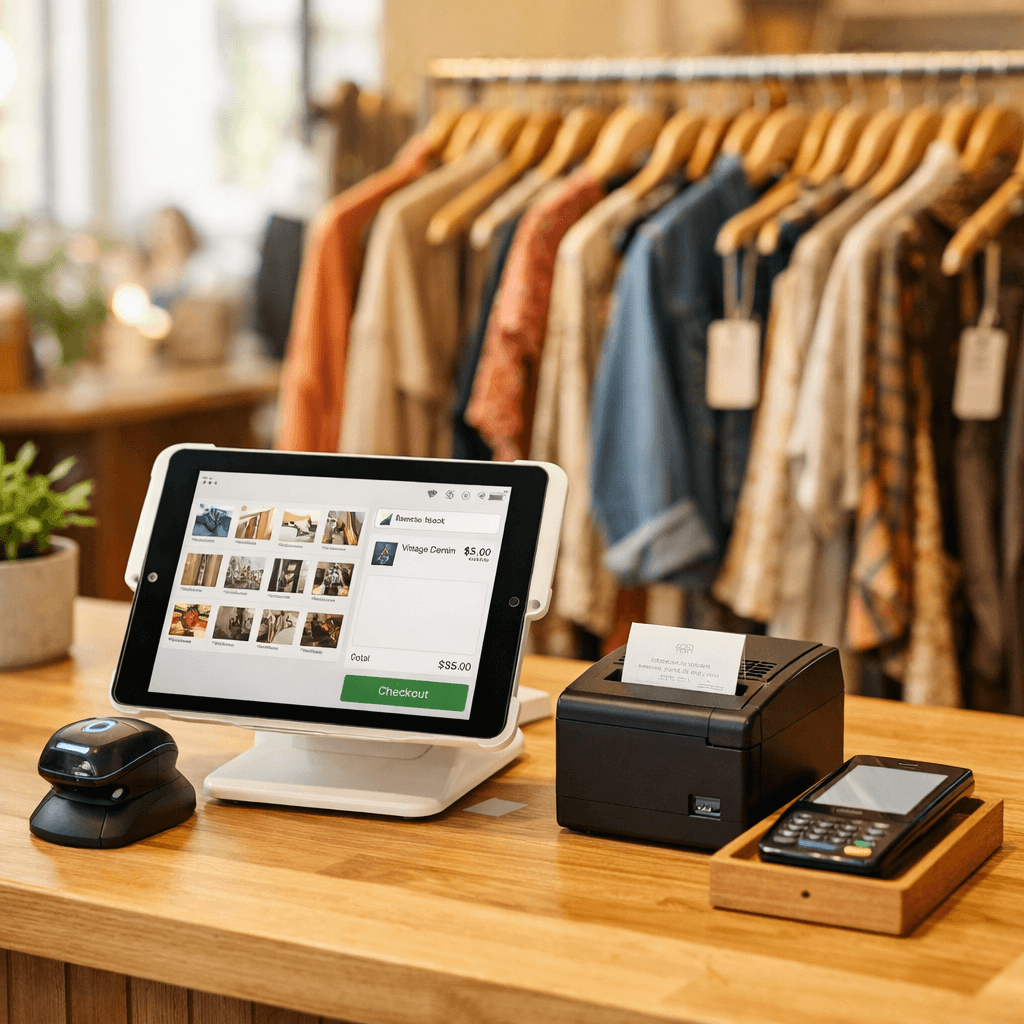
At minimum, you need a device running the Shopify POS app and a way to accept card payments. Here’s a practical hardware setup for a consignment store:
Tablet or smartphone with the Shopify POS app (iPad recommended for the larger screen)
Card reader (Shopify’s own reader, or a third-party reader from Square or SumUp)
Barcode scanner (handheld Bluetooth scanner or use the device camera)
Label printer (Dymo or Zebra for printing barcode labels on consigned items at intake)
Receipt printer (optional - many stores offer email receipts only)
The label printer is particularly important for consignment. When you intake a new batch of consigned goods, printing a barcode label for each item and sticking it on the price tag creates a scannable link between the physical item and its digital record in Shopify. That barcode ties the item to its consignor, commission rate, and product details - so when it’s scanned at the register, everything flows through automatically.
Step 3: Install a Consignment App
This is where the consignment layer gets added to Shopify. The right consignment POS software bridges the gap between Shopify POS (which handles the transaction) and your consignment workflow (which handles vendor tracking, commissions, and payouts).
PuppetVendors is a full consignment and multi-vendor marketplace platform for Shopify. It adds vendor assignment to every product in your catalog, calculates commissions automatically based on rules you define (per vendor, per product, per SKU, or per category), and processes payouts through PayPal and Stripe. Every consignor gets a dedicated portal where they can see their products, track sales in real time, and view their earnings. When a consigned item sells through Shopify POS, PuppetVendors automatically attributes the sale to the correct consignor and updates their balance - no manual reconciliation needed.
PuppetVendors also supports barcode printing through both the merchant and vendor portals, with templates for Dymo, Zebra, and Avery printers. This means you can print labels at intake that tie directly into the POS workflow.
Pricing starts at $49/month for up to 25 vendors, scaling to $599/month for unlimited vendors. For a consignment store with 10-50 consignors, the Growth plan at $119/month covers most needs.
Other options include ConsignCloud (a standalone consignment platform with a Shopify integration) and Circle-Hand (a newer entrant focused on secondhand and thrift stores).
ConsignCloud offers its own POS that runs alongside Shopify POS, which some stores prefer for the additional consignment-specific checkout features. Circle-Hand includes AI-powered item entry and Shopify POS integration but is still building out its feature set. For a detailed breakdown, see our best consignment software for Shopify comparison.
Step 4: Configure Your Commission Structure
Before you start selling, set up the commission rules that govern how revenue gets split between your store and your consignors. Most consignment stores use one of these models:
Flat percentage split. The most common structure. Your store keeps 40% of the sale price, the consignor receives 60%. (Or 50/50, 70/30 - whatever you’ve agreed on.) This applies uniformly to all items from that consignor.
Tiered by volume. Consignors who bring in more inventory or generate more sales get a better split. For example: 60% consignor share on the first $1,000/month in sales, 65% on sales between $1,000-$5,000, and 70% above $5,000. This incentivizes your best consignors to bring you more inventory.
Category-specific rates. Different commission rates for different product types. Furniture might be on a 50/50 split (because it takes up more floor space and is harder to sell), while jewelry might be 70/30 in the consignor’s favor (because it’s high-margin and space-efficient). This is common in multi-category consignment stores.
Per-vendor custom rates. Some consignors negotiate individual terms. A designer who brings in consistently high-selling pieces might command a 75/25 split, while a new consignor starts at 55/45 until they’ve proven their inventory quality.
With PuppetVendors, all of these structures are configurable. You can set a default shop-wide commission rate, then override it at the vendor level, product level, or SKU level. When a POS sale comes through, the system applies the correct rate automatically - no lookup tables or manual calculations needed.
For guidance on setting competitive rates, our consignment commission rates guide covers industry benchmarks across clothing, furniture, art, luxury goods, and more.
Step 5: Intake Consigned Inventory
This is the workflow for getting new consigned goods into your system and onto the sales floor:
Consignor drops off items. Inspect each piece for quality and condition. Accept or reject based on your store’s criteria.
Create products in Shopify. For each accepted item, create a product listing with the item name, description, price, photos, and - critically - the vendor field set to the consignor’s name. If you’re using PuppetVendors, you can also have consignors submit products for review through their vendor portal, which saves you data entry time.
Print barcode labels. Generate and print a barcode label for each item. Attach it to the price tag or directly to the item. This barcode is what gets scanned at the register, linking the physical sale to the digital record and the correct consignor.
Set inventory to 1. Most consigned items are one-of-a-kind, so set the inventory quantity to 1. When it sells, it’s automatically marked as out of stock across all channels.
Place item on the sales floor. The item is now live in Shopify, scannable at the POS, and linked to its consignor’s commission structure.
For stores with high volume intake (dozens of new items per week), the bottleneck is usually product creation. Some tips to speed this up: use Shopify’s bulk product editor for items in the same category, create product templates for common item types, and consider letting consignors submit their own product listings through a vendor portal for review before publishing.
Step 6: Sell Through Shopify POS
When a customer brings a consigned item to the register, the sale workflow is straightforward:
Scan the barcode (or search for the product manually in the POS).
Process payment as you would any other sale - card, cash, or mixed tender.
Complete the transaction. Shopify records the sale, reduces inventory, and sends the order data to your consignment app.
Automatic vendor attribution. Your consignment app (e.g., PuppetVendors) receives the order, identifies the consignor who owns the item, applies the correct commission rate, and credits the consignor’s balance.
From the cashier’s perspective, there’s zero extra work. They scan, sell, and move on. The consignment accounting happens in the background.
For stores that do a lot of custom or untagged sales (items not pre-entered into Shopify), the workflow requires one extra step. PuppetVendors is building a Shopify POS UI extension that adds a vendor selector directly to the POS custom sale screen, so staff can assign a vendor to ad-hoc sales at the point of transaction. This eliminates the need to pre-load every single item into Shopify before selling it - a significant time-saver for stores with rapidly rotating, one-of-a-kind inventory.
Step 7: Automate Payouts
With your consignment app tracking every POS sale by vendor, payout day becomes simple:
Review payout report. Your app generates a summary showing each consignor’s sales, commission splits, deductions, and balance owed.
Approve the batch. Verify the totals and approve the payout run.
Send payments automatically. Payments go out via PayPal, Stripe, or bank transfer - depending on each consignor’s preference and what your app supports.
Consignors receive statements. Each consignor gets a detailed breakdown of which items sold, for how much, what commission was deducted, and the final amount paid.
With PuppetVendors, you can set payout schedules (weekly, bi-weekly, or monthly) and process payments through PayPal or Stripe. Consignors see their real-time sales and balances in their vendor portal, so there are no surprises when the payout arrives.
For a deeper walkthrough of the payout automation process, see our guide on how to automate consignor payouts on Shopify.
POS Consignment Workflows That Save Real Time
Setting up the technology is one thing. Running efficient daily operations is another. Here are the workflows that separate smooth consignment POS operations from chaotic ones.
The Daily Reconciliation (That You No Longer Need)
In a manual consignment setup, store owners spend 15-30 minutes at the end of each day reconciling POS sales against consignor records. With automated vendor attribution, this step disappears entirely. Every sale is matched to its consignor in real time, and the consignment app handles the accounting.
If you want to verify, you can pull up a daily sales report in your consignment app and compare it against Shopify’s POS sales for the day. But once you trust the system (usually within the first week), this becomes a weekly spot-check rather than a daily ritual.
Handling Returns on Consigned Items
Returns are one of the trickiest parts of POS consignment. When a customer returns a consigned item, the reverse of the original sale needs to flow through:
Process the return in Shopify POS as you would any return.
Your consignment app receives the refund event and automatically reverses the consignor credit - deducting the commission from their balance.
Restock the item (set inventory back to 1) so it can be sold again.
The key here is that the consignment app must handle refunds correctly. PuppetVendors tracks refunds and adjusts consignor balances automatically, so a returned item doesn’t result in overpayment.
End-of-Contract Consignor Offboarding
When a consignment agreement ends and unsold items need to be returned:
Filter products by vendor in Shopify to see all remaining items from that consignor.
Generate a final payout for any outstanding balance.
Remove or archive the products from your Shopify catalog.
Physically pull the items from the sales floor and arrange return to the consignor.
Your consignment app should give you a clean list of all active products by vendor, making this process straightforward rather than a scavenger hunt through your inventory.
Walk-in Consignor Intake
Some stores accept consigned items on a walk-in basis. The POS can support this workflow if you streamline it:
Evaluate items at the counter.
Quickly create products in Shopify (use a template for speed).
Print barcode labels and tag the items.
Add the consignor to your app (if they’re new) and assign the products to their account.
With PuppetVendors, new consignors can sign up through the vendor portal, which captures their contact details, payment preferences, and agreed commission rate. This means the onboarding paperwork is digital and the consignor’s account is ready before you start tagging their items.
Shopify POS vs. Standalone Consignment POS: The Real Tradeoff
The alternative to running Shopify POS with a consignment app is using a purpose-built consignment POS like SimpleConsign, ConsignCloud, or Aravenda. Here’s an honest breakdown of the tradeoffs.
Choose Shopify POS + consignment app if:
You sell both online and in-store and need unified inventory
You want access to Shopify’s ecosystem of themes, apps, and integrations
You plan to grow beyond consignment into marketplace or multi-vendor retail
Your consignors value a modern, mobile-friendly vendor portal
You want flexibility in payment processing
Choose a standalone consignment POS if:
You sell exclusively in-store with no online presence
You need highly specialized consignment workflows (like aging-based automatic markdowns) that aren’t available in Shopify apps yet
You’re already deeply invested in a standalone system and migration cost is too high
For most consignment stores in 2026, the Shopify POS route is the stronger long-term bet. Shopify’s platform is expanding its POS capabilities rapidly, the app ecosystem keeps getting better, and the ability to sell across physical and digital channels from one system is increasingly table stakes. Standalone consignment platforms that don’t offer strong e-commerce are becoming a liability as more consignment buyers expect to browse and purchase online.
If you’re currently on SimpleConsign and considering the move, our SimpleConsign vs Shopify + PuppetVendors comparison covers the migration path in detail.
Common Mistakes When Setting Up POS Consignment on Shopify
Not tagging products with vendor information at intake. If items enter your inventory without a vendor assignment, every sale of that item creates a reconciliation headache later. Build vendor tagging into your intake checklist and never skip it.
Using Shopify’s vendor field without a consignment app. Shopify’s native vendor field is just a text string. It doesn’t connect to commission rates, payout accounts, or reporting. Without a consignment app interpreting that field and acting on it, you’re just adding a label with no automation behind it.
Running two separate inventory systems. Some stores use a consignment POS for in-store sales and Shopify for online sales, then manually sync the two. This creates double-selling risk, inventory discrepancies, and twice the administrative work. Unify on Shopify POS with a consignment app to avoid this.
Neglecting consignor communication. Give your consignors access to a portal where they can see their sales and balances. Stores that rely on emailing monthly statements or fielding phone calls about “did my blue vase sell?” are wasting hours that a self-service portal eliminates.
Overcomplicating commission structures too early. Start with a simple flat-rate commission for all consignors. You can add tiered rates, category-specific splits, and volume-based incentives later as your business grows and your data tells you what structures work best. For guidance on structuring commission tiers, see our consignment commission rates guide.
Getting Started
The fastest path to a working Shopify POS consignment setup:
Sign up for Shopify (Basic plan at $39/month is fine to start).
Install the Shopify POS app on your tablet or phone.
Install PuppetVendors and configure your commission structure.
Set up your hardware - at minimum, a card reader and barcode label printer.
Onboard your first 5 consignors - create their accounts, set their commission rates, and import their inventory.
Run your first POS sale and verify that the consignor attribution and commission calculation flow through correctly.
Process your first payout and confirm the numbers match your expectations.
The entire setup - from zero to your first consignment POS sale - can happen in an afternoon. The ongoing benefit is every sale after that flowing automatically from register to consignor payout, with zero spreadsheets in between.
If you want a guided walkthrough, book a demo and we’ll set it up with you.