
Subscribe to our Newsletter
SHARE THIS BLOG
How to Add Multiple Vendors to Your Shopify Store (2026 Guide)
Shopify makes it easy to label products by vendor. But if you want multiple vendors to actually log in, manage their own products, track sales, and receive automated payouts, you need more than a label field. You need a multi-vendor marketplace setup.
This guide covers both approaches: adding basic vendor labels in Shopify's admin, and setting up a full multi-vendor marketplace where each seller operates independently through your store.
What Shopify Offers Out of the Box
Every Shopify store has a built-in Vendor field on the product page. You can find it under Products > Product Organization > Vendor. This lets you tag each product with a vendor name, filter your product list by vendor, and display vendor names on your storefront.
That said, the native Vendor field has real limitations. It is just a text label. Vendors cannot log in to your store, they cannot manage their own products or inventory, and there is no way to track sales per vendor or calculate commissions. If you are sourcing products from a few suppliers and just want organizational clarity, the native field works. If you need vendors involved in day-to-day operations, you will hit a wall quickly.
When You Need a Multi-Vendor App
The moment any of these apply to your business, you have outgrown Shopify's native vendor field:
Vendors need to log in and manage their own products
You need to calculate and pay commissions per vendor
Orders contain products from multiple vendors and need to be split
Vendors want to see their own sales data and payout history
You are running a consignment store, art gallery, or marketplace model
These are not edge cases. They are the standard requirements for any store selling on behalf of others, whether that is a consignment shop with 10 consignors, a marketplace with 50 brands, or a digital art gallery with 100 artists.
How to Set Up Multiple Vendors on Shopify (Step by Step)
Step 1: Choose Your Multi-Vendor App
The Shopify App Store has several options for multi-vendor functionality. When evaluating apps, focus on these capabilities:
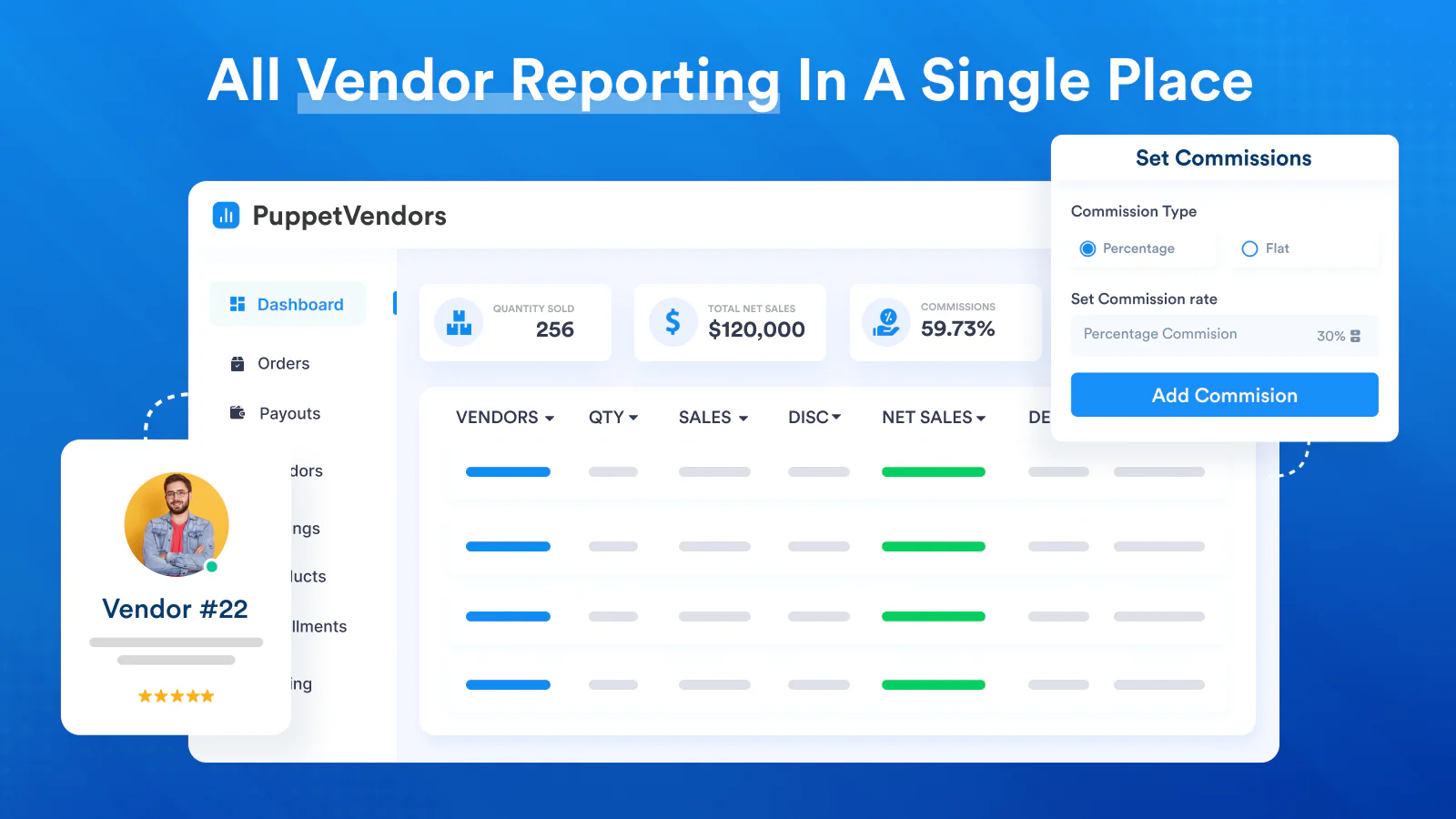
Vendor portal: Each vendor gets their own login to manage products, view orders, and track earnings. Look for portals that are white-labeled so vendors see your brand, not the app's.
Commission rules: You need flexibility here. Global commission rates are a starting point, but real businesses need vendor-level, product-level, and even SKU-level commission overrides. A consignment store might give 60% to one consignor and 70% to another based on their agreement.
Automated payouts: Manual payout calculations using spreadsheets do not scale past a handful of vendors. Look for apps that calculate commissions automatically and process payouts through PayPal or Stripe.
Order routing: When a customer buys products from multiple vendors in one order, the app should split and route each item to the correct vendor automatically.
POS support: If you have a physical store, you need vendor tracking to work for in-store sales too. This is where most apps fall short. PuppetVendors is the only Shopify app that natively supports POS Custom Sale for vendor and consignment assignment at the point of sale.
Step 2: Install and Connect to Your Shopify Store
Most multi-vendor apps install directly from the Shopify App Store and sync your existing product catalog automatically. After installation, you will typically need to:
Set your default (global) commission rate
Create vendor profiles
Assign existing products to vendors
If you already have products in your store tagged with the Shopify Vendor field, look for an app that can import those assignments automatically rather than requiring manual re-entry. PuppetVendors Bridge syncs your existing Shopify products, inventory, and fulfillments without migration or developer work.
Step 3: Create Vendor Profiles and Send Invitations
For each vendor, you will create a profile that includes their business name, email, commission rate, and payout method. Once the profile is set up, send the vendor an invitation to access their portal.
A good vendor onboarding flow looks like this:
Admin creates the vendor profile and sets commission terms
Vendor receives an email invitation with login credentials
Vendor logs into their portal, reviews their terms, and starts adding products
Admin reviews and approves products before they go live on the storefront
If you are onboarding vendors in bulk, look for CSV import functionality so you can upload 20 or 50 vendor profiles at once instead of creating them one by one.
Step 4: Configure Commission Rules
Commission structures vary widely depending on your business model:
Consignment stores typically retain 30-50% and pay the consignor 50-70%. Rates often vary by consignor, product category, or price tier. A furniture consignment shop might take 40% on items over $500 and 50% on items under $500.
Multi-vendor marketplaces usually take 10-25% commission on each sale. Higher-volume vendors often negotiate lower rates.
Art galleries commonly take 30-50% as a gallery commission, with the remainder going to the artist.
Print-on-demand stores set royalties per design, which might be a flat dollar amount rather than a percentage.
The key is flexibility. If your app only supports a single global commission rate, you will be doing manual calculations within weeks. Look for commission rules at the shop, vendor, product, and SKU level. PuppetVendors' commission engine supports all four tiers with override logic, so you can set a store default, override it per vendor, and override again per product when needed.
For a deeper look at commission benchmarks across industries, see our Consignment Commission Rates Guide.
Step 5: Set Up Automated Payouts
Once commissions are configured, you need a system to actually pay vendors. The manual approach (exporting sales data, calculating each vendor's share in a spreadsheet, and sending individual PayPal payments) breaks down fast. Even with 5 vendors, this takes hours each pay period.
Automated payout systems calculate each vendor's earnings based on your commission rules and process payments through connected PayPal or Stripe accounts. All you need to do is review the payout summary and approve it.
Set a payout schedule that works for your cash flow. Common options include weekly, biweekly, or monthly. For consignment stores, monthly payouts are standard. For marketplaces with high-volume vendors, weekly or biweekly keeps vendors happy and reduces payout-related support requests.
For a detailed walkthrough, read our guide on how to automate consignor payouts on Shopify.
Step 6: Let Vendors Manage Their Own Products
The biggest operational win in a multi-vendor setup is letting vendors handle their own product management. Instead of you manually uploading products, writing descriptions, and updating inventory for every vendor, each seller does it themselves through their portal.
Vendors can typically add new products with images and descriptions, update pricing and inventory levels, view their order history and fulfillment status, and track their earnings and upcoming payouts.
Set clear product guidelines before giving vendors portal access. Define image requirements, description standards, and any restricted categories. Most apps let you require admin approval before vendor products go live, which gives you quality control without creating a bottleneck.
Common Mistakes to Avoid
Starting without a commission agreement. Get your commission terms in writing before a vendor adds their first product. Changing terms after products are live creates friction and trust issues.
Using spreadsheets when you have more than 3 vendors. The time you spend on manual commission calculations compounds every pay period. Automate from the start.
Giving vendors full admin access. Vendors should only see their own data. Never share your Shopify admin login. Always use a dedicated vendor portal.
Ignoring POS. If you sell in-store and online, make sure your multi-vendor app tracks both channels. Otherwise, your commission calculations will be wrong for every in-store sale. This is a common gap. Most multi-vendor apps only support online orders.
Choosing the Right App for Your Store
The best app depends on your business model and scale. Here is a quick framework:
If you are running a consignment store with physical and online sales, you need POS support, flexible per-vendor commissions, and automated payouts. PuppetVendors is purpose-built for this.
If you are building a multi-vendor marketplace where vendors manage their own products and fulfillment, you need vendor portals, order routing, and commission automation. PuppetVendors handles this as well.
If you are running an art gallery or digital marketplace, you need white-label vendor portals, percentage or flat-rate royalties, and digital file delivery. PuppetVendors supports all three.
For a detailed comparison of the top apps, see our Best Consignment Software for Shopify guide.
FAQ
Can I add multiple vendors to Shopify without an app?
You can add vendor labels to products using Shopify's built-in Vendor field under Product Organization. However, this only adds a text tag. Vendors cannot log in, manage products, or track commissions with the native field. For actual multi-vendor operations, you need a third-party app.
How many vendors can I add to my Shopify store?
There is no hard limit from Shopify's side. The limit depends on your multi-vendor app and pricing plan. PuppetVendors supports up to 25 vendors on the Launch plan, 100 on Growth, 400 on Scale, and unlimited on Enterprise.
Do vendors need their own Shopify account?
No. Vendors access your store through a dedicated vendor portal provided by your multi-vendor app. They do not need their own Shopify subscription. The portal is separate from your Shopify admin.
Can I track vendor sales for in-store and online orders?
Most multi-vendor apps only track online sales. If you also sell in a physical store using Shopify POS, you need an app that integrates with POS Custom Sale to assign in-store transactions to vendors. PuppetVendors is currently the only app that offers this.
How do I pay vendors their commission?
Multi-vendor apps calculate vendor earnings based on your commission rules. Payouts are typically processed through PayPal or Stripe. You set a payout schedule (weekly, biweekly, or monthly), review the payout summary, and approve it. The app handles the rest.